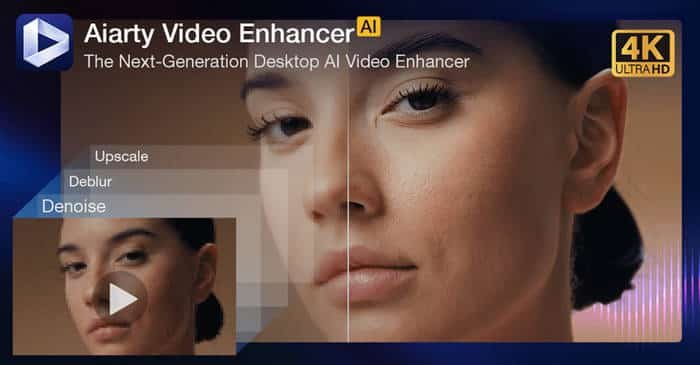
Aiarty Video Enhancer is a Windows software that uses advanced artificial intelligence to upscale, denoise, repair, and colorize your low-resolution or blurry videos automatically. Transform old home movies, game recordings, or footage shot in poor conditions into clear, high-definition quality.
Overview of Digiarty Aiarty Video Enhancer
Digiarty Aiarty Video Enhancer is a specialized desktop tool designed to make video enhancement simple and accessible. It leverages powerful AI models to analyze each frame of your video and perform complex restoration tasks that would be difficult or impossible with traditional editing software. Whether you’re a content creator, historian, or just someone with cherished memories in low-quality clips, Aiarty helps you recover detail and sharpness with minimal effort.
Key Features
🔄 AI Upscaling
Increase video resolution up to 4K/8K, making blurry footage sharp and detailed.
🔇 AI Denoising
Remove grainy noise and compression artifacts caused by low light or high ISO settings.
✨ AI Restoration
Fix blurry, out-of-focus, and shaky videos by recovering crisp edges and textures.
🎨 AI Colorization
Automatically add realistic, natural color to black & white or faded videos.
⚡ Batch Processing
Enhance multiple videos at once, saving significant time and effort.
📁 Wide Format Support
Works with common video formats (MP4, AVI, MOV, MKV, etc.) and maintains the original audio.
Why Choose Aiarty Video Enhancer?
-
Fully Offline Processing: Your videos stay on your computer—no uploading to the cloud, ensuring privacy and security.
-
User-Friendly: One-click enhancement presets make professional results achievable for beginners.
-
Speed & Efficiency: Optimized for NVIDIA/AMD/Intel GPUs for faster AI processing.
-
Preview Function: See a side-by-side comparison of the original and enhanced result before final processing.
-
Cost-Effective: A one-time purchase for lifetime use, unlike recurring subscription models.
System Requirements
-
OS: Windows 11 / 10 / 8.1 / 7 (64-bit)
-
Processor: Intel/AMD multi-core processor, 3.0 GHz or higher
-
RAM: 8 GB minimum (16 GB or more recommended)
-
Hard Disk: 10 GB free space for installation and processing
-
Graphics Card (Optional but Highly Recommended):
NVIDIA GeForce GTX 1050 Ti / RTX series or higher (4GB+ VRAM)
AMD Radeon RX 500 series or higher
Intel UHD Graphics 630 or higher
Required for GPU acceleration and optimal processing speed.
video enhancer, AI video upscale, video restoration software, denoise video, video colorization, upscale to 4K, blurry video fix, old video restoration, Digiarty, Aiarty, Windows video tool, offline video enhancer