Free Download PanFone WhatsApp Transfer full version standalone offline installer for Windows; it is used to backup, restore, & transfer iOS/Android WhatsApp messages.
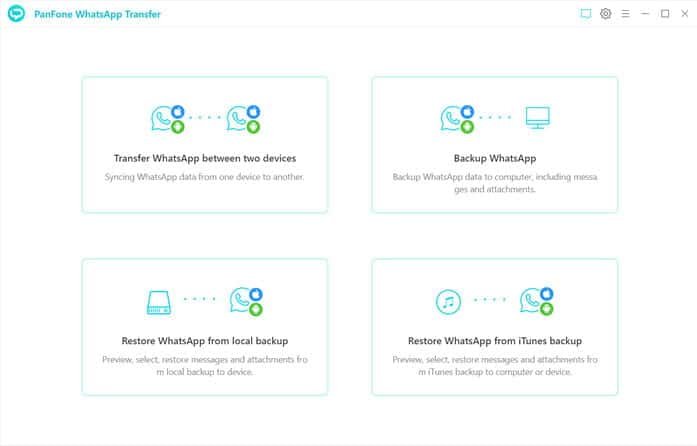
PanFone WhatsApp Transfer is a specialized software tool designed to break the cross-platform barrier of WhatsApp backups. It allows users to transfer, back up, and restore WhatsApp data (messages, photos, videos) between Android and iOS devices, as well as between mobile devices and a computer .
Overview of PanFone WhatsApp Transfer
Moving WhatsApp chats from Android to iPhone (or vice versa) is notoriously difficult because Google Drive backups are not compatible with iOS and iCloud backups are not compatible with Android. PanFone WhatsApp Transfer solves this by acting as a bridge. It creates a universal backup on your PC that can be restored to any device, regardless of the operating system. It also allows you to extract WhatsApp data from iTunes backups and export chat logs for printing or record-keeping .
Key Features
-
Cross-Platform Transfer: Transfer WhatsApp data directly between Android and iOS devices (Android to iPhone, iPhone to Android, and same OS transfers) .
-
PC Backup: Backup WhatsApp chats and attachments from your phone to a computer for safe keeping .
-
iTunes Backup Extraction: Retrieve and restore WhatsApp data from existing iTunes backup files to your computer or a device .
-
Export & Print: Export WhatsApp conversations as HTML or CSV files. This allows you to view chats in a browser or Excel, and print them like a document .
-
Selective Restore: Preview backup contents and select specific chats or attachments to restore, rather than restoring everything at once .
Why Choose PanFone WhatsApp Transfer?
-
One-Click Simplicity: Designed to be user-friendly for beginners, avoiding the complex setup usually required for cross-platform transfers .
-
Read-Only Security: The software is read-only, meaning it accesses your data without modifying, deleting, or storing it on external servers, ensuring 100% security of personal information .
-
No Data Limit: Unlike email chat exports (which are limited to a single conversation), this tool transfers the entire chat history, including all media attachments .
System & Hardware Requirements (PC)
To run PanFone WhatsApp Transfer on Windows, your system must meet the following requirements :
-
OS: Windows 11/10/8.1/8/7 (32-bit & 64-bit)
-
CPU: 750MHz Intel or AMD processor
-
RAM: 256 MB or above
-
Disk Space: 200 MB or more
Device Compatibility
-
iOS: iOS 9 – iOS 17 (Compatible with iPhone 15 series, 14 series, older models, and iPads) .
-
Android: Android 3.0 – Android 14 (Compatible with Samsung Galaxy S24/S23 series, Google Pixel 9/8 series, OnePlus, LG, Sony, HTC, etc.) .
-
*Note: A third-party download site suggests compatibility extends to iOS 18 and Android 15, but this is not confirmed in the official FAQ .*
#WhatsApp-Transfer #Android-to-iOS #iPhone-to-Android #WhatsApp-Backup #iOS-17-Compatible #Android-14-Compatible #Chat-Exporter #HTML-Export #CSV-Export #PC-Software